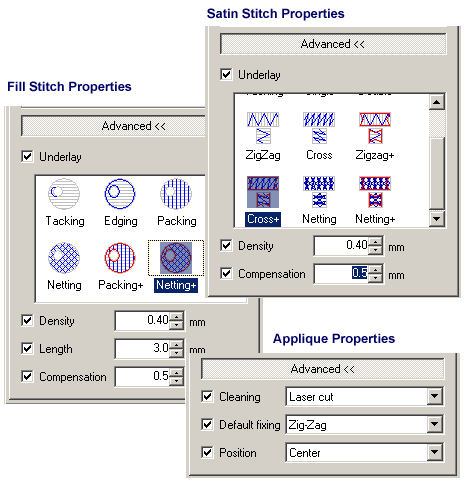
DRAWings X3 Pro edition is an ideal upgrade for embroidery users who need to manipulate the basic stitch parameters\settings such as density, stitch length, compensation, underlays for individual objects in a design created in DRAWings, it is also used to control the appliqué outline positions and adjust it for laser cutters or zigzag stitches.
Corel DRAWings X3 Professional includes also all Corel DRAWings X3 features. Learn more
- Change stitch density
- Change stitch length
- Change underlay
- Change compensation
- Change stitch direction
- Control Appliqué outline position
Create embroidery designs quicker than ever
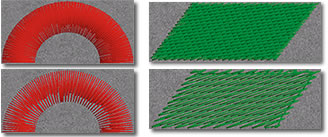
Adjust the Density of Satin, Step, Piping and Satin serial objects.
You can easily adjust the Density of objects that are filled with Satin, Step, Piping or Satin serial stitch type and produce lighter or heavier embroidery according you needs.
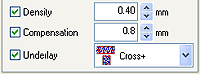
Adjust the Compensation of Satin, Step and Satin Serial objects.
By adjusting the Compensation of the objects you can handle better the powers that are applied on the fabric during the embroidering process.
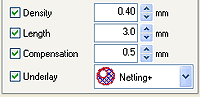
Adjust the Length of stitches of Step, Piping and Running objects.
You can adjust the length of stitches and reduce/increase the stitch count of the embroidery. In addition you can give different feel on the design using your expertise.
Change the Underlay of Satin, Step and Satin Serial objects
You can select the underlay you want for each object, and stabilize the design in the way you prefer.
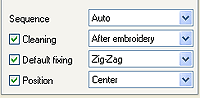
Specify the Applique Cleaning, Default Fixing and Position.
Make your life easier with appliqué designs and specify when the embroidery will be placed on the design (Cleaning), which will be the holding stitches (Default Fixing) and in which position the holding stitches will be placed (Position).