Corel DRAWings X3 Professional now includes more features that give you the ability to make the appropriate changes where needed, according your embroidering expertise and produce exactly the embroidery result you want. The tools that are included, are giving you important embroidery designing automations that will reduce the designing process, together with professional embroidery parameter adjustments, altogether in the lowest price. The time that other spend in digitizing, you will spend it in getting more and more jobs.
Corel DRAWings X3 Professional includes also all Corel DRAWings X3 standard features. Learn more
New features
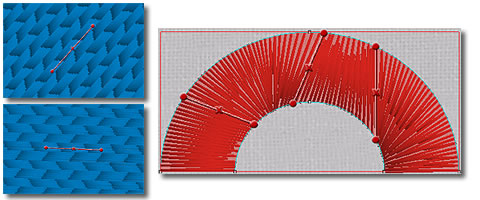
Direction control in Satin, Step and Piping objects
You can change direction in Step objects to the preferred angle and give artistic feel with a shape pattern. In addition, you can add more directions to Satin/Ping objects and change the way that the object will be embroidered.
Divide Satin and Piping objects
Use the divide tool to create subsections in an object and change the way that the object will be embroidered. Especially in shapes that are filled with satin you can divide them and produce subsection filled with satin bars.
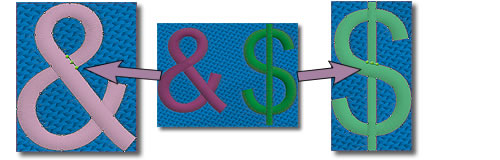
Select between 8 different embroidering strategies
Now you have the ability to select between 8 different embroidering strategies that are calculated automatically and embroider the objects on the fabric in the way you prefer. You can embroider you designs form Top to bottom, Bottom to top, Left to right, Right to Left, Small to large, Large to small, Inside to outside and Outside to inside. This tool is really important for embroidering hats which need to be embroidered from the center to right and left. Also, it is useful for delicate fabrics that need special care regarding the way that the objects will be placed on them. .