|
 |
|
 |
| |
| |
DRAWings® X3 Pro Demo B : Appliqué Parameters Control |
|
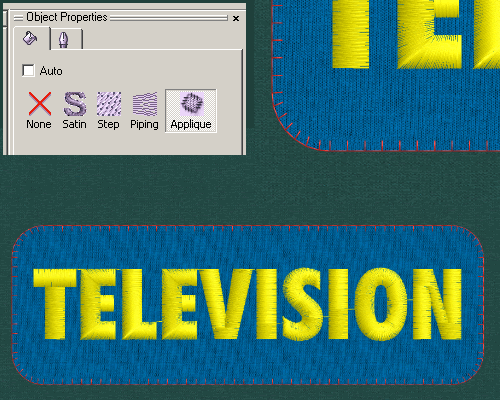
| Step 1: Click "Appliqué" on the Properties Panel, the previous satin border changed to E-type stitches. |
|
 |
|
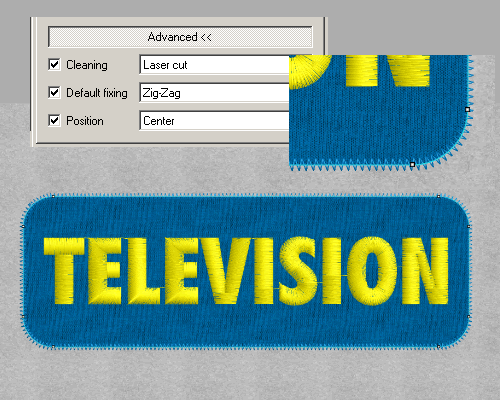
| Step 2: On the Advanced Properties, check Default fixing, then select Zigzag. The E-type stitch change into Zigzag stitch with it position on the center line. |
| |
|
|
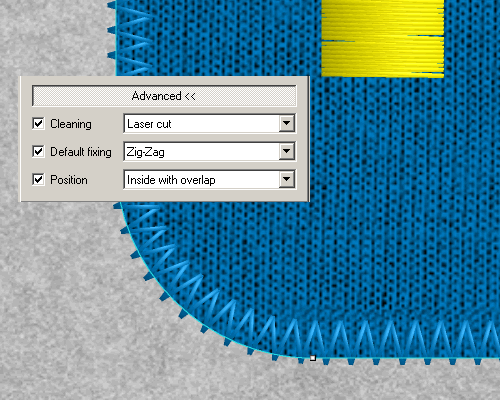
| Step 3: In the "Position" Window, select " Inside with overlap", the Zigzag stitch moves inside of the its center line. |
|
|
|
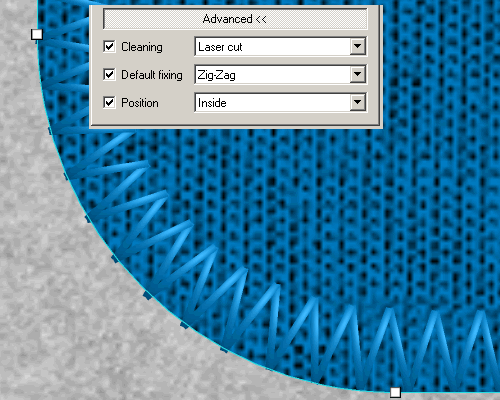
| Step 4: Select " Inside", the outside Zigzag stitches will line up with the cutting edge of the appliqué fabric. |
| |
|
|
|
|
 |
|
 |
|
|
|