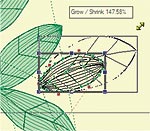
Node Editing module requires the Digitizing module to be already installed in Wings' modular!
This module adds extra node editing features. You can modify the objects of the embroidery designs more accurately and create the exact shapes you want to design. All the tools that are included are listed below:
Feature Outline:
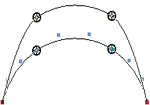
Edit multi-nodes on outline objects
Scale on outline objects
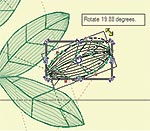
Rotate on outline objects
Skew on outline objects
Node Editing Module is built based on Basic and Digitizing modules.
Multi node editing selection:
•
You can select two or more nodes of a curve
•
You can select all the nodes of multiple curves
•
You can move or delete multiple nodes
•
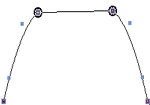
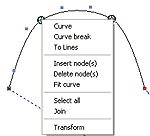
You can connect two or more nodes of a curve with straight lines
•
You can join two nodes (make them one) from two different curves
•
You can split a selected node or a curve in two sections
Transform in node editor:
•
Move the selected section(s)
•
Copy the selected section(s)
•
Resize the selected section(s)
•
Rotate the selected section(s)
•
Slant the selected section(s)
•
You can split a selected node or a curve in two sections
•
Copy by reference line the selected section(s)
•
Array the selected section(s)
•
It is possible to edit every section of the the current object separately.